
6 Tips on Using Cursor
If you are writing software, then you need to use Cursor

You can be someone who has never programmed before, or like me, someone who has done one type of programming but has never built a fully fledged product. Cursor makes it easier than ever now to build working software products. All of a sudden, having a vision is 10x more valuable of a skill than it used to be.

While getting started with cursor is easy, there are things you can do to make life easier for you as you start your journey to building the next billion dollar app, or a personal side project. I try to write down my experience with using the app, and things I did that really helped me.
Have a plan
There was a time when planning and implementation went side by side. This was because implementation used to take super long, and you would anyways have to update the plan over time. However, with Cursor, implementation is much quicker, with some people building full fledged websites and games in under an hour.
If you prompt Cursor with something like “Build a directory website for dog parks”, you cannot control what cursor does. However, if you ask it instead to:
“Build a directory website for dog parks in the United States. Include fields such as indoor/outdoor, cost, size, whether there are benches. The landing page should include a map showing dog parks near the user’s location. Location should be automatically detected. The directory website should be free to see the locations of the dog park, but the other fields should require a subscription fees of 5$/month to unlock.
Use React for frontend and Supabase for the backend. Include authentication and stripe integration. Please also let me know which details I need to include.”
The second prompt is a lot more detailed, and requires some amount of planning to come up with. The point is that even with using cursor, you want to be the one in control, and not the AI. You can only do this if you have thought enough about what you want to build. You can make the prompt even better with a sketch of what the website should look like. Plus, with multimodal models, your sketch can just be a very rough sketch. It need not be a professional Figma file.
Use Cursorrules and cursorignore
Cursor allows you to define some guidelines for your AI assistant. These go into a file under cursor/rules. You can find a good set of rules for your techstack on dotcursorrules. Think of these rules like coding guidelines for your project which the AI needs to follow. This can include things like naming conventions, coding style, and documentation style among other things.
The other useful feature which is recently added is cursor ignore. Essentially like gitignore, but for files you do not want the AI to see. Note that cursor by default ignores .env files among a list of other files mentioned here.
Use Tags when prompting
Cursor supports tags like @docs and @web which can be extremely useful when prompting for libraries that have recently changed. For example, LlamaIndex has updated its APIs quite a few times in the last two years. If I want the AI to use the write version of the function, the best way is to provide the docs to the AI of the version I am using, and not the version it is trained on.
Use Git
Cursor, for all its useful features is not version control. There are plenty of examples of people building something with cursor, and not being able to roll back because the latest prompt changed 10 files and now their application does not work:
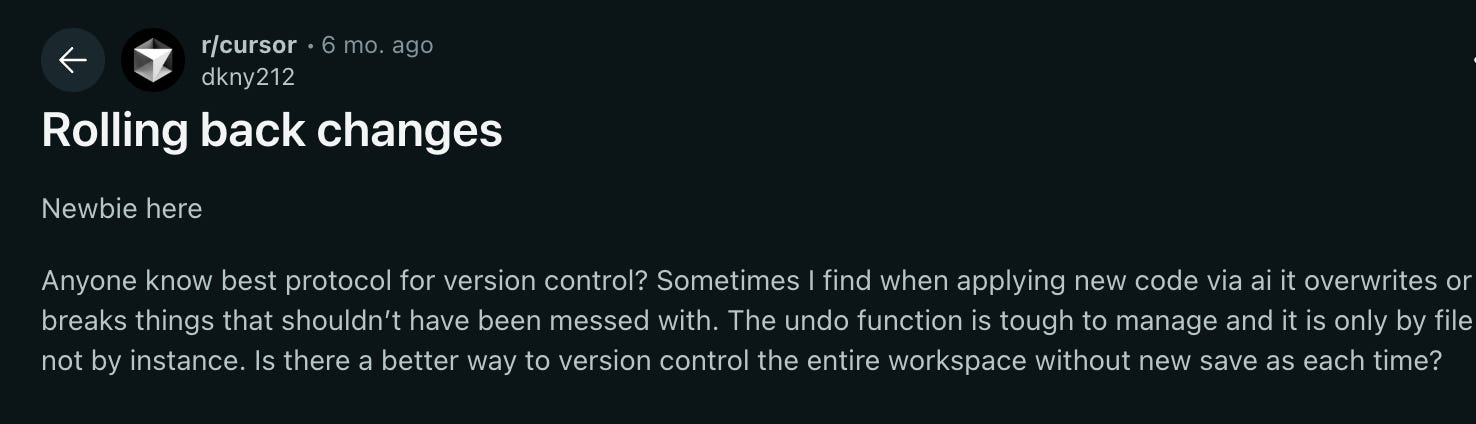
While cursor does have a checkpoint feature, as your project gets more complex, relying on this becomes harder and harder. It is definitely not a replacement for git.
Getting unstuck
There are times when the AI gets stuck on a bug. It starts to go in a loop trying the same set of solutions again and again. What should you do in such cases?
Your options are:
Ask another AI
Google it old school style
Rebuild that part of the code in a different way (yourself or with AI).
Getting stuck can be quite frustrating. But that is what software engineering has always been about. Debugging leads you down some strange rabbitholes.
At time, it is easier and faster to come up with an entirely different solution than debugging your current approach.

Understand the vocabulary
AI makes it super easy to get started with new technologies you have never looked into. But it is still important to have some high level of understanding of what the technology does and how it works. The best way to do this is to look through the documentation of the library you are using.
This will allow you to craft better prompts, and debug faster when you need to.
Conclusion
AI driven software engineering is having a huge impact on the economics of software as a whole. No longer do you need to hire a software engineer to build your vision. If you have a vision you can build it yourself or have a very small team build it for you.